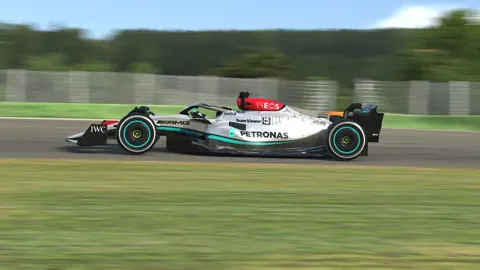
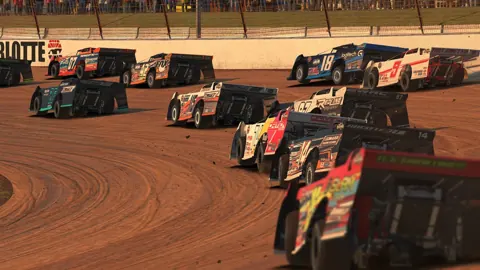
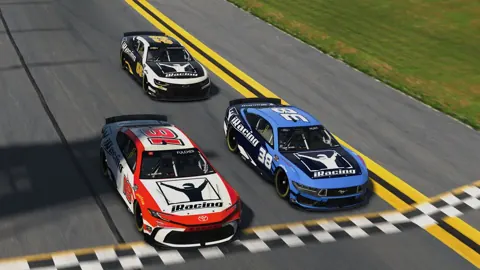
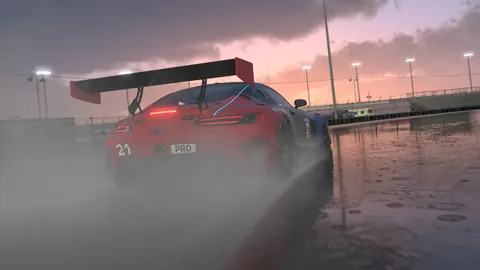
Race wheel to wheel in ranked online series on paved and dirt tracks. Start in Rookie, build your Safety Rating with clean laps, and work toward the license class your next series requires.
iRacing is a subscription-based motorsport simulator for Windows PC. Ranked online series cover paved ovals, sports cars, formula cars, dirt ovals, and dirt road racing.
Each racing category has its own license progression. Safety Rating tracks incidents relative to corners completed, while iRating helps match you with drivers of similar skill.
Get from your first test session to the grid in a Rookie race. Pick a starting discipline, learn the car in traffic, and build up to full race distance.
1
1
Pick a discipline to start with: Sports Car, Formula Car, Oval, Dirt Oval, or Dirt Road.
2
2
Use Test Drive to learn the car and find repeatable braking points, then join an open practice session to get comfortable around other drivers.
3
3
Try the Global Mazda MX-5 Cup for a Sports Car start or the Formula 1600 Rookie Series for open-wheel racing.
4
4
Register for an official Rookie race. Leave room in traffic and focus on finishing cleanly while you learn race starts and overtaking.
See what an iRacing subscription includes and when you'll need to buy extra cars or tracks. Check the schedule for the series you want to run before spending on content.
Subscription
A membership includes a starter selection of cars and tracks plus access to eligible official races.
Extra Content
Cars and tracks outside the included selection are sold separately.
First Season Budget
A Rookie series built around included content lets you start racing before buying additional cars or tracks.
Find a series that fits your license, then check its race times and track rotation before committing to a season. Choose between fixed setups you can race straight away and open setups you can tune.
Rookie Road Series
The Global Mazda MX-5 Cup is a Sports Car series, while the Formula 1600 Rookie Series is an open-wheel option in Formula Car.
Track Rotation
Check the weekly schedule for the track and layout your series is running before you practice or buy a circuit.
Fixed Setups
Fixed-setup races supply the car setup, so you can spend your practice time learning the track and racing in traffic.
Open Setups
Open-setup races let you tune the car within the series rules.
Compare cars by the kind of racing you want to do, from Rookie road racing to GT3 and short-track ovals. Check which series runs the car you want before you buy it.
Sports Car Rookie
The Global Mazda MX-5 Cup car is included with membership and runs in its own Rookie series.
Formula Car Rookie
The Ray FF1600 is included with membership and gives you an open-wheel route into official racing.
Oval Rookie
The included Street Stock is a starting point for paved oval racing.
GT3
The Porsche 911 GT3 R (992) and Ferrari 296 GT3 are examples of GT3 cars available separately.
Browse the circuits and layouts you'll see in road and oval racing. Check the exact configuration on your series schedule so you practice the same corners you'll race.
Lime Rock Park
Lime Rock Park is included with membership and has configurations with and without a chicane.
Okayama
Okayama International Circuit is included with membership and offers Full and Short layouts.
Charlotte
Charlotte Motor Speedway has both oval and road course configurations.
Daytona
Daytona International Speedway offers a banked oval and a road course that combines infield turns with sections of the oval.
Set up a solo race against AI drivers and practice starts, passing, and defending before you join an official grid. Choose a supported car and track layout, then adjust the field to match your pace.
Single Race
Run a standalone AI race to practice a specific car and track combination in traffic.
AI Seasons
Build a custom season when you want to race the same field across multiple rounds.
Opponent Rosters
Configure your AI roster and its skill range to build a field around your pace.
Car and Track Support
Choose a car and track configuration that support AI racing when setting up the session.
iRacing requires an active membership, a Windows PC that meets the system requirements, broadband internet, and compatible controls. Calibrate your controls and practice with included content before entering a Rookie race.
Are all iRacing cars and tracks included with membership?
iRacing membership includes cars and tracks for getting started. Additional cars and tracks are separate purchases. Choose a series and check its schedule before buying more content.
What is the difference between Safety Rating and iRating in iRacing?
Safety Rating reflects incidents relative to corners completed and helps determine license progression. iRating measures competitive results and helps match drivers with similar ability. Each racing discipline has its own ratings and license.
Can I practice against AI in iRacing?
iRacing supports AI races and championships with compatible cars and track configurations. Use these sessions to practice starts, passing, and driving in traffic before joining an online race.
Ready for Your First iRacing Race?
Set up your controls, pick a Rookie series, and learn what to expect from registration to the checkered flag.