
iRacing iRating Explained: How to Gain Rating Faster
Learn how iRacing iRating works, what changes your score, how it differs from Safety Rating, and how to improve your race results with consistent driving.
Jump to
What Is iRating in iRacing?
Your finishing position tells only part of the story. The iRacing iRating system measures your competitive performance relative to other drivers and helps place you against similarly skilled opponents. Understanding it makes rating changes easier to interpret—and gives you something more useful to work on than chasing a single fast lap.
Your rating is specific to each racing category: Oval, Sports Car, Formula Car, Dirt Oval, and Dirt Road. Results in one category affect that category’s rating.
Rookies also have an iRating, but it stays hidden on their competition license until promotion to Class D. The number revealed at promotion reflects their racing results; reaching D does not mean everyone arrives with the same score.
Official page: iRacing (iracing.com)
How Do You Gain or Lose iRating?
 Image: Steam / iRacing.com Motorsport Simulations
Finish above the system’s expectation for your rating and opponents, and your iRating increases. Finish below that expectation, and it decreases.
That makes finishing position and the ratings of your competitors central to the calculation. Beating stronger opponents carries a different expectation than beating drivers rated well below you.
For example, imagine two drivers finish in the same position in separate races. One entered a field of stronger competitors, while the other was among the highest-rated entrants. Their rating changes can differ even though their finishing positions match.
Avoid treating any position as a guaranteed gain. There is no universal “finish in the top half for points” rule that explains every field, and wins do not award a fixed number of rating points.
Overtakes Matter Through the Final Result
Passing a highly rated driver does not trigger an immediate rating reward. The result at the finish determines your adjustment.
Use that distinction when deciding whether to attack. A pass that improves your finishing position can help; an attempt that ends your race can erase the benefit of everything you did beforehand.
Leaving Early Still Leaves a Result
Once you are committed to an official ranked race, failing to start or quitting early can cost iRating through your finishing classification.
Withdraw before the race assignment if you cannot participate. After an incident, assess the damage and repair options before abandoning a recoverable race. Continue only when the car is safe to drive.
How Splits and Strength of Field Work
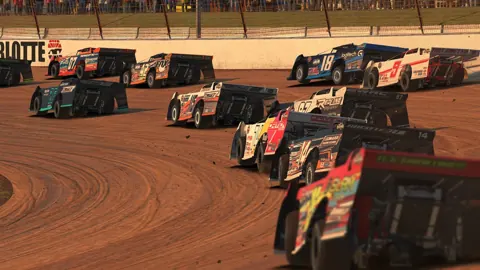
A split is one of the separate races running at the same scheduled time. Your iRating helps determine which split you enter, grouping competitors by skill.
 Image: www.iracing.com
A higher rating can therefore change the opponents you face. Improving your score does not necessarily make winning easier: you can move into a field with faster drivers.
Strength of Field, usually shortened to SoF, describes the field’s rating strength. Use it to put results into context. Finishing competitively against a stronger field can represent progress even without a podium.
Use Comparable Results to Set Practice Targets
Open recent results for your chosen series and look at races with a rating level close to yours. Compare sustained pace rather than focusing entirely on the winner’s fastest lap.
Average lap times help show what drivers maintained across a race, but inspect them alongside incidents, pit stops, and finishing status. A damaged car or lengthy repair can distort the comparison.
Match the car, track configuration, and conditions as closely as possible when judging your own pace.
iRating vs. Safety Rating: What Each Measures
iRating measures competitive performance. Safety Rating, or SR, measures safety through incidents relative to corners completed.
These systems can move in different directions. A clean race with a weak finishing result can improve SR while costing iRating. A strong finish with numerous incidents can produce the opposite outcome.
Keep the two goals connected through your driving:
- Protect your finishing result: Avoid spins, collisions, and unnecessary penalties that cost positions.
- Protect your Safety Rating: Reduce off-tracks, loss-of-control incidents, and contact.
- Build racing experience: Practice predictable defense, controlled overtakes, and driving alongside others.
Check each event’s incident rules before racing. Penalty and disqualification limits belong to the event; do not assume every series uses the same threshold.
Which Sessions Affect Your Rating?
Official ranked races affect iRating in their respective racing categories.
The distinction matters because the Official Racing area also contains unranked series. Check the event’s ranked status instead of assuming every scheduled race changes your score.
| Session type | Changes iRating? | Changes Safety Rating? |
|---|---|---|
| Official ranked race | Yes | Yes |
| Standalone Open Practice | No | No |
| Test Drive | No | No |
| AI Racing | No | No |
| Time Trial | No | Yes |
| Unranked race | No | No |
Qualifying does not change iRating either. Its value is in securing your starting position for the race.
Time Attack and Time Trial are different modes. Time Trials affect SR and a separate performance measure called ttRating.
Use Test Drive to learn unfamiliar combinations, then Open Practice or AI Racing to develop comfort around other cars. Those sessions let you prepare without putting your iRating at stake.
How to Improve Your Results Consistently
Stay With One Car While Learning
Choose one discipline and car for a stretch of races. Repeated practice gives you time to understand braking behavior, corner exits, and how the car responds when you leave the ideal line.
Fixed-setup series reduce the setup work involved. Use that time to practice driving and race management.
Practice the Conditions You Will Race
Launch a Test Drive from the series page, then review the weather and track conditions before driving.
The September 9, 2026 update added tools that make this preparation more useful:
| Feature | Practice use |
|---|---|
| Reference Car UI | Compare live control inputs from a reference car in solo sessions |
Use the reference inputs to identify a specific difference—such as braking or throttle application—then work on that part of the lap. Change one thing at a time so you can recognize what helps.
Build Repeatable Pace Before Chasing a Personal Best
Run a sequence of controlled laps. Focus on braking markers, predictable turn-in, and exits you can repeat without running off the track.
A single quick lap cannot compensate for repeated spins during a race. Improving your slower laps can make your overall performance more competitive even before your personal best changes.
Rehearse Racing Around Other Cars
Use AI Racing to practice starts, following another car, and taking corners alongside an opponent. Adjust the AI difficulty to create situations you need to rehearse.
In Open Practice, work on leaving space and recognizing how your braking changes in traffic. Keep your spotter and relative display accessible, and check surrounding traffic before leaving the pits or rejoining.
Choose Overtakes You Can Complete
Set up the pass before the braking zone. Leave room when another car remains alongside, and avoid turning a manageable battle into race-ending contact.
Drive toward the best finish you can sustain. Giving up one corner can leave you in position to attack again; losing the car can end the opportunity entirely.
Review More Than the Rating Change
After racing, open Results & Stats → Results and inspect your finishing position, iRating adjustment, incidents, best lap, and average lap.
Then revisit the moment that cost you the most time. Use the replay’s cockpit and external cameras to examine your line, available space, and the other car’s position.
Pick one correction for the next session: brake earlier in traffic, improve a weak exit, leave more room, or practice pit entry. Turn that correction into a repeatable habit before adding another.
Continue with
 iRacing Licenses: How to Move From Rookie to Class ALearn how iRacing licenses work, including Safety Rating, promotion requirements, demotions, and a practical Sports Car route from Rookie through Class A.
More in Competition
See all CompetitionContinue exploring
Join the community
Official channels for news, updates and player help: